











Colour with Asian Paints

Colour With Asian Paints
Visualize your dream home


A sneak peak of What’s Inside




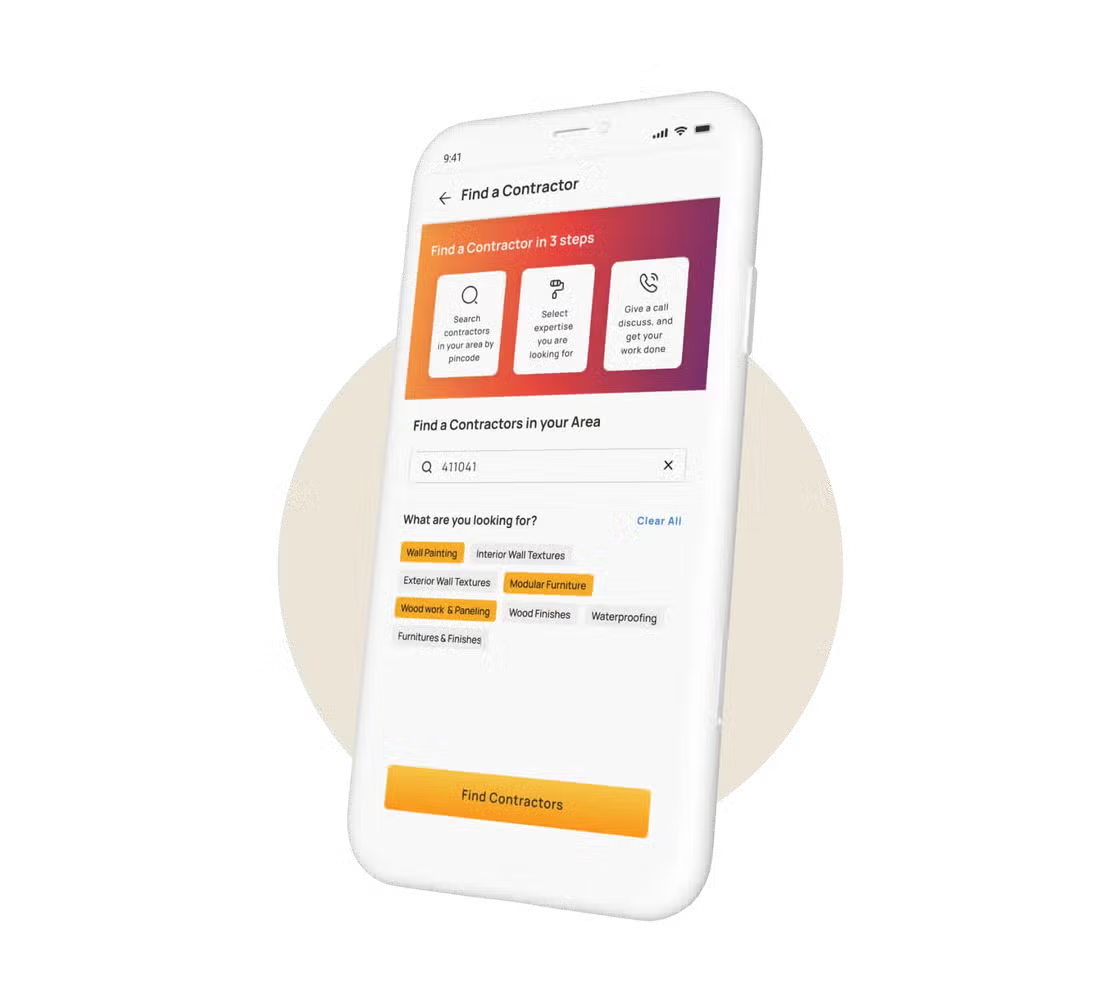

Download our visualizer app now


Get Expert Advise
Bid goodbye to your home furnishing hassles with our expert supervision
Colour with Asian Paints App – Visualise Your Dream Home Instantly
Choosing paint colours for your home often feels exciting and confusing at the same time. A shade that looks beautiful on a colour card may appear completely different once applied to walls. This is where the Colour with Asian Paints app becomes incredibly useful.
The app allows homeowners to visualise wall colours, textures, wallpapers, and room combinations directly on their mobile screens before making any painting decision. Whether you are planning a complete home makeover or refreshing a single wall, the Asian Paints visualizer app helps you experiment confidently with colours and designs.
From modern textures to room-wise colour planning, the app offers smart design tools that simplify the entire painting journey.
What You Can Do with the Colour with Asian Paints App
The Asian Paints colour visualizer app combines technology with home décor inspiration. It allows users to explore multiple ideas quickly and conveniently.
Visualise Wall Colours in Real-Time
One of the biggest highlights of the app is its real-time wall colour visualizer tool.
Users can:
- Try different paint shades instantly
- Compare multiple colour options
- Preview walls before painting
- Understand how colours look in different rooms
This feature helps homeowners feel more confident while selecting colours.
Try Texture Paint & Wallpaper Designs
The app also allows users to experiment with texture paints and wallpaper styles.
Popular options include:
- Royale Play texture finishes
- Metallic textures
- Minimal textured walls
- Floral wallpapers
- Geometric wallpaper designs
This feature makes it easier to create stylish interiors without relying only on imagination.
Experiment with Room Colour Combinations
The Asian Paints app helps users explore balanced colour palettes for different rooms.
You can try:
- Accent wall combinations
- Dual-tone room designs
- Neutral colour schemes
- Bold feature wall ideas
- Matching furniture-inspired colours
The app helps users understand how colours work together within a space.
Explore Complete Home Design Ideas
Beyond colours, the app also offers interior inspiration for modern Indian homes.
Users can browse:
- Living room ideas
- Bedroom themes
- Kids room inspirations
- Hall colour combinations
- Contemporary interior styles
These ideas help homeowners plan spaces more creatively.
Key Features of the Colour with Asian Paints App
The Asian Paints mobile app includes several smart features that simplify colour selection and home design planning.
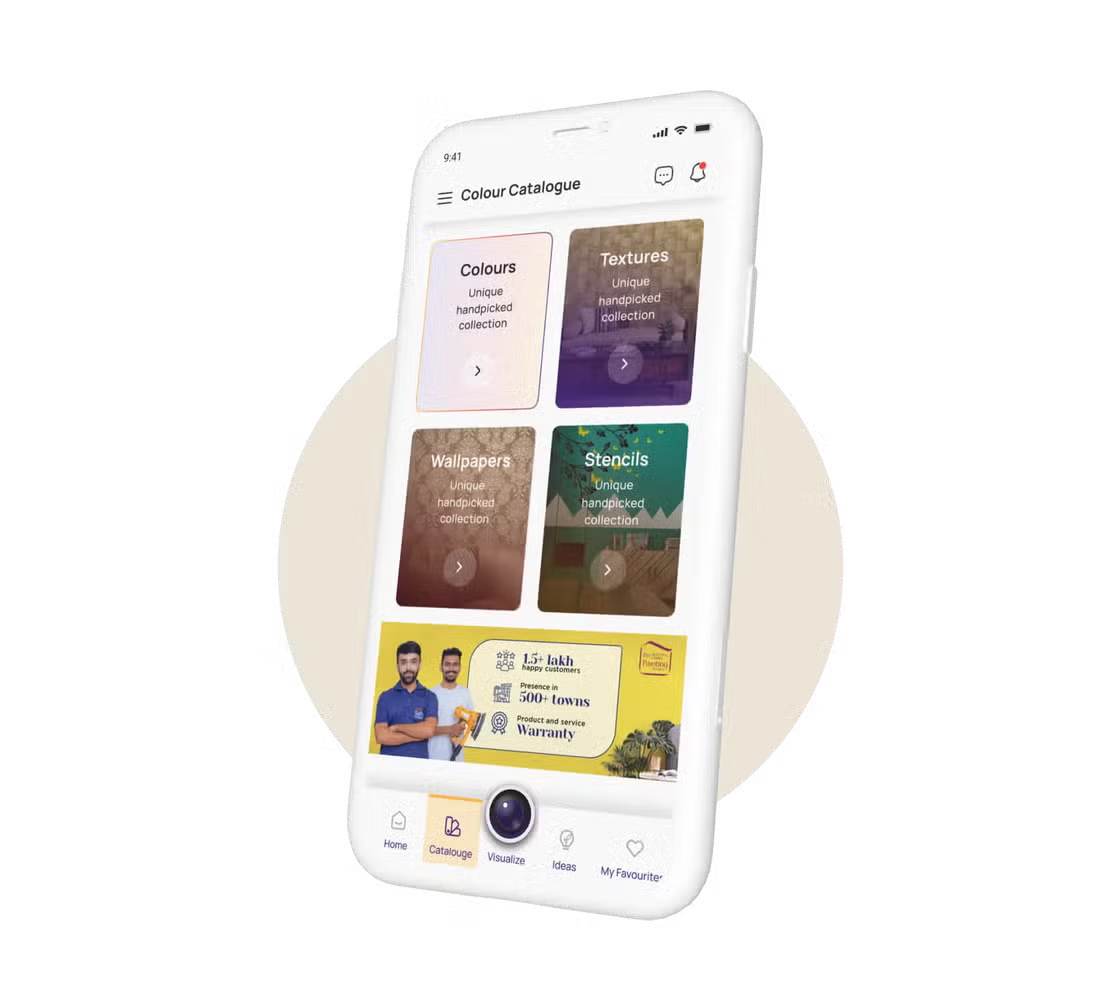
Extensive Colour Catalogue & Texture Library
The app offers access to a wide range of:
- Paint shades
- Texture finishes
- Wallpaper designs
- Interior themes
- Decorative finishes
This helps users explore endless design possibilities within one platform.
Real-Time Wall Colour Visualizer Tool
The colour visualizer tool allows users to preview shades directly on wall surfaces using their phone camera or uploaded images.
This feature helps users:
- Compare colour variations
- Understand depth and brightness
- Visualise complete room transformations
Real-time previews reduce uncertainty during colour selection.
Upload Your Room Photo & Try Colours Instantly
Users can upload photos of their own rooms and experiment with different paint shades digitally.
This feature helps homeowners:
- Personalise room planning
- Match existing furniture
- Explore multiple combinations quickly
- Understand colour balance better
It creates a more realistic visualisation experience.
Pre-Designed Room Layouts for Inspiration
The app includes ready-made room designs created by interior experts.
These layouts showcase:
- Modern colour palettes
- Texture combinations
- Wallpaper styling
- Furniture coordination
- Lighting-inspired themes
Users can explore styles that match their taste and home interiors.
Save & Share Your Design Ideas
The app allows users to save their favourite designs and share them with family members or interior designers.
This feature makes collaboration easier during home renovation or painting projects.
Find the Perfect Wall Colour with Smart Tools
The app includes intelligent tools that help users choose suitable colour combinations according to room style and lighting conditions.
Accent Wall Colour Suggestions
The app recommends accent wall shades that complement the primary wall colour.
Popular accent combinations include:
- Beige with olive green
- Grey with charcoal
- White with navy blue
- Cream with terracotta
Accent walls help create depth and focal points within rooms.
AI-Based Colour Recommendations
Smart recommendation tools suggest colours based on:
- Existing room tones
- Interior themes
- Lighting conditions
- Furniture colours
- User preferences
These suggestions make colour selection easier and more personalised.
Room Lighting & Exposure-Based Suggestions
Lighting affects how paint colours appear inside a room.
The app considers:
- Natural sunlight
- Artificial lighting
- Brightness levels
- Room exposure
This helps users choose shades that look balanced throughout the day.
Harmonised Colour Combination Ideas
The app also provides coordinated colour palettes that work beautifully together.
Popular combinations include:
- Neutral modern palettes
- Earthy tones
- Contemporary grey combinations
- Warm minimalist colour themes
These combinations help create visually cohesive interiors.
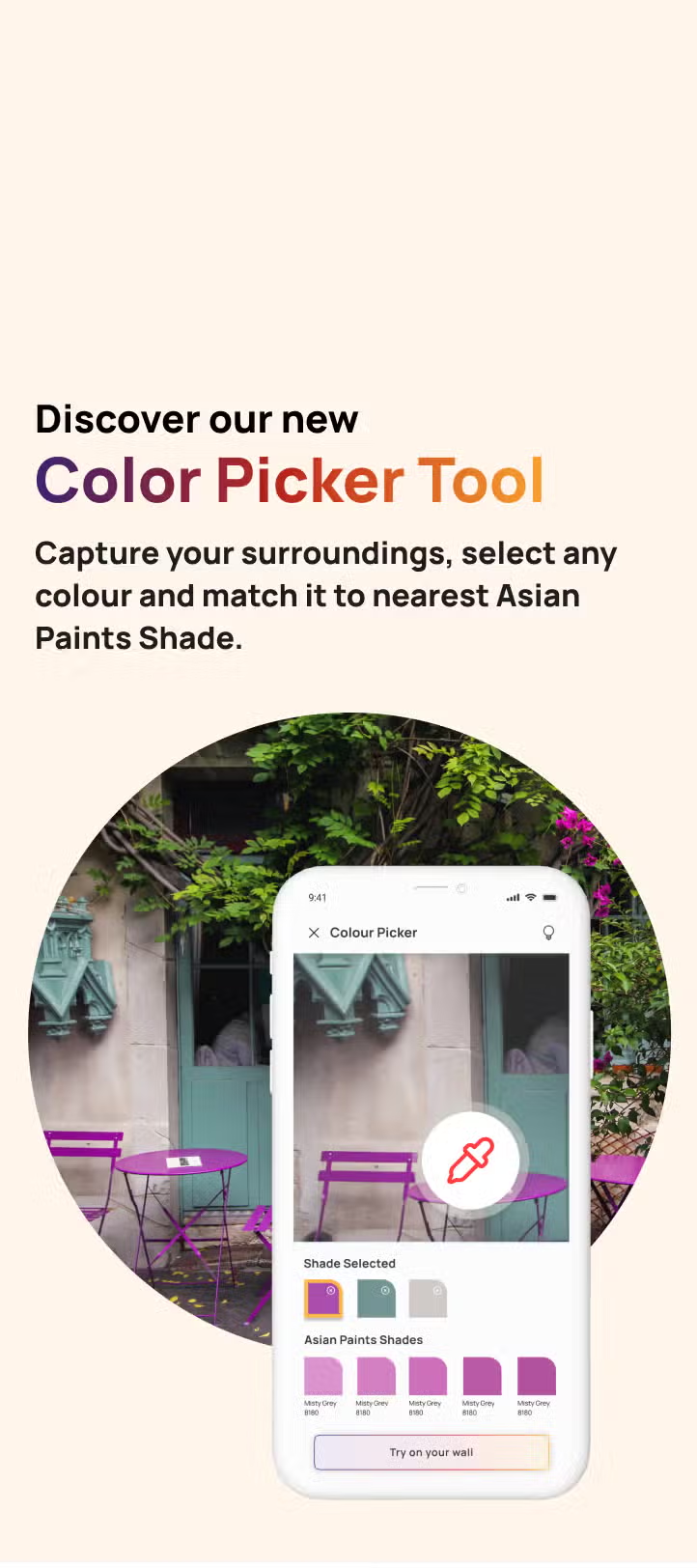
Pick Colours from Your Surroundings with Colour Picker
The colour picker feature adds another level of convenience and creativity.
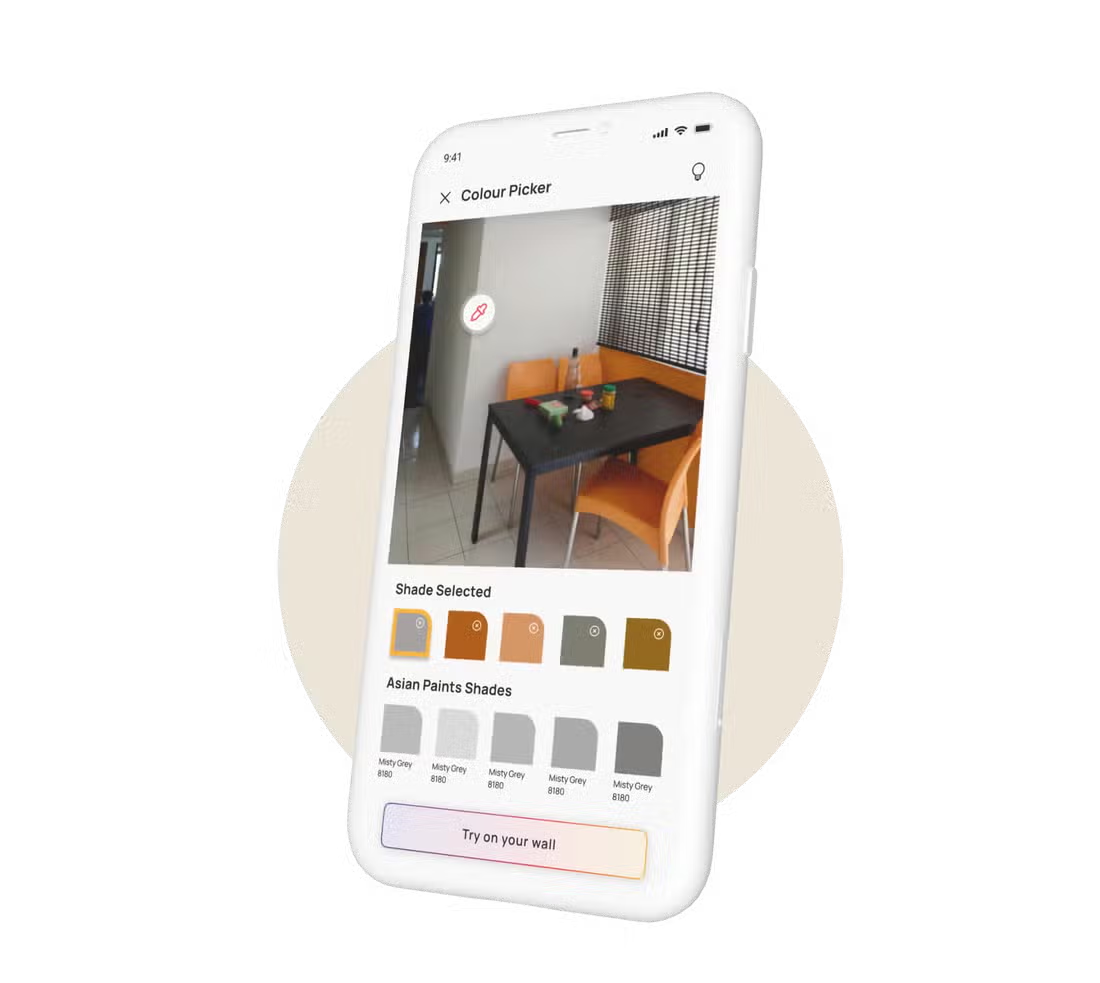
Capture Any Colour from Real Life
Users can capture colours from surrounding objects using their phone camera.
For example:
- Curtains
- Cushions
- Furniture
- Artwork
- Fabrics
The app identifies matching paint shades instantly.
Upload Images to Detect Shades
Users can also upload inspiration photos to detect and identify colour tones.
This feature helps recreate:
- Pinterest-inspired interiors
- The designer room looks
- Favourite décor themes
- Magazine-style colour palettes
It simplifies the colour matching process.
Get the Closest Asian Paints Colour Match
Once a colour is identified, the app suggests the closest Asian Paints shade available in its catalogue.
This feature improves colour accuracy during home painting projects.
Visualise Colours for Every Room in Your Home
The app supports room-wise planning for complete home interiors.
Living Room Colour Ideas
Users can explore:
- Modern neutral palettes
- Luxury textured walls
- Accent wall combinations
- Minimal living room themes
The visualizer helps homeowners experiment with multiple ideas before finalising colours.
Bedroom Colour Combinations
The app offers calming and stylish bedroom palettes, including:
- Pastel tones
- Warm neutrals
- Contemporary greys
- Soft earthy colours
Bedroom visualisation helps create more relaxing interiors.
Kids Room Design Inspiration
The app includes creative ideas for children’s spaces, such as:
- Playful wall colours
- Cartoon-inspired themes
- Bright accent combinations
- Interactive textures
Parents can explore age-appropriate room designs easily.
Hall & Interior Space Colour Planning
Users can also plan colours for:
- Hallways
- Dining areas
- Staircase walls
- Interior passages
Balanced colour planning improves overall home flow and coordination.
Explore Texture, Wallpaper & Design Inspirations
The app goes beyond standard paint visualisation by offering complete décor inspiration.
Texture Paint Design Visualisation
Users can try:
- Royale Play textures
- Concrete finishes
- Metallic textures
- Rustic wall effects
- Designer textured walls
Texture previews help users understand depth and finish quality more clearly.
Wallpaper & Pattern Exploration
Wallpaper visualisation includes:
- Floral prints
- Geometric designs
- Textured wallpapers
- Minimal patterns
- Statement feature wall ideas
Users can experiment with multiple styles digitally.
Modern & Classic Interior Themes
The app supports both modern and traditional interior preferences.
Popular themes include:
- Minimal contemporary
- Luxury modern
- Rustic earthy
- Classic elegant
- Scandinavian-inspired interiors
These themes help homeowners narrow down design choices easily.
Personalised Design Styles
Users can create customised room designs according to:
- Colour preference
- Furniture style
- Room size
- Interior mood
- Personal taste
This makes home design planning more interactive and enjoyable.
DIY Home Décor & Personalisation Ideas
The app also encourages users to explore creative DIY-style interior ideas.
Create Custom Colour Combinations
Users can build unique colour palettes by mixing:
- Accent shades
- Neutral tones
- Texture finishes
- Wallpaper patterns
This helps create more personalised spaces.
Experiment with Creative Wall Designs
The visualizer tool allows experimentation with:
- Feature walls
- Pattern combinations
- Colour blocking
- Textured accents
- Designer layouts
Users can test ideas before actual execution.
Build Your Unique Interior Style
The app helps homeowners discover design styles that reflect their personality and lifestyle preferences.
It encourages creativity while simplifying decision-making.
How to Use the Colour with Asian Paints App
The app interface remains simple and beginner-friendly.
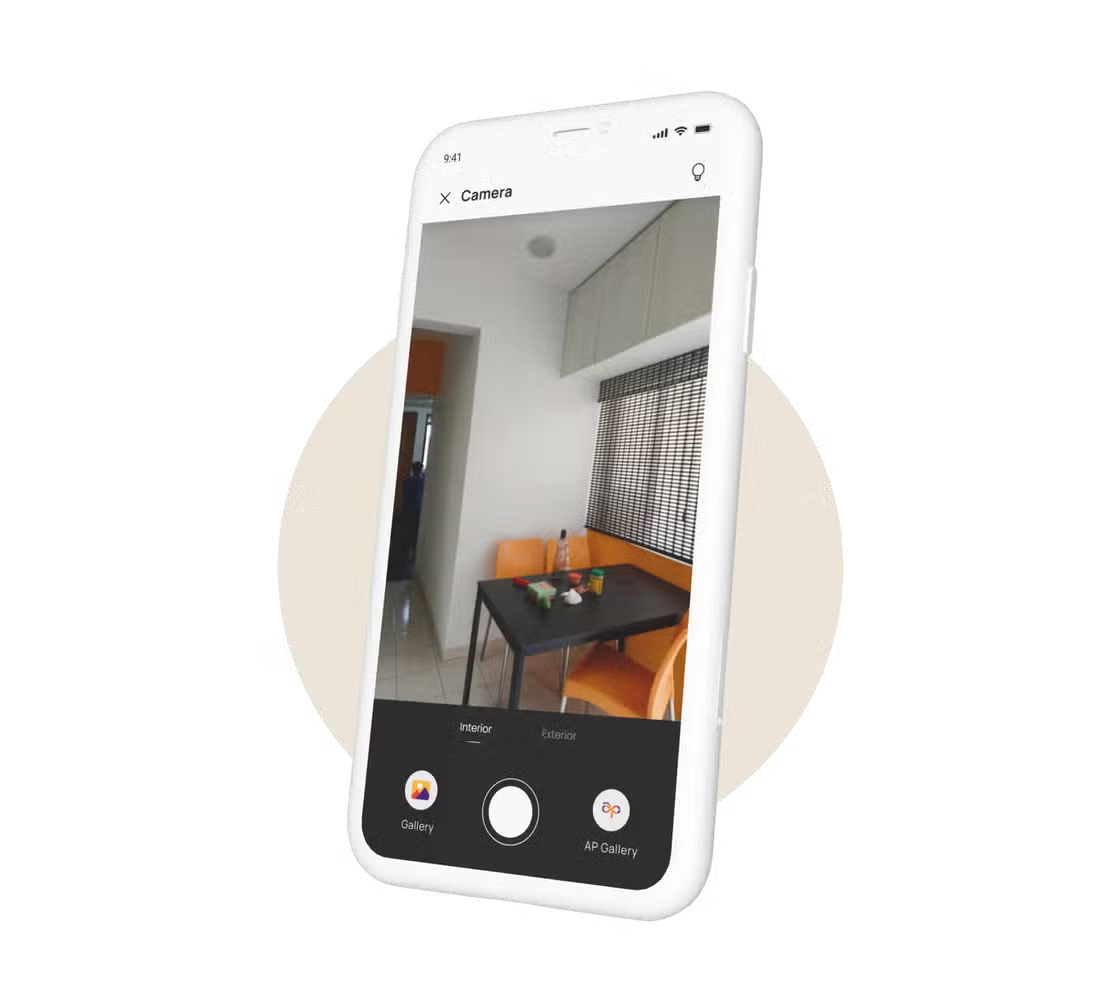
Step 1: Upload or Click Your Room Photo
Users can:
- Upload an existing room image
- Click a fresh photo using the app camera
The app automatically detects wall surfaces.
Step 2: Apply Colours, Textures or Wallpapers
Users can digitally apply:
- Paint colours
- Texture finishes
- Wallpaper patterns
- Accent wall ideas
The preview updates instantly.
Step 3: Compare Different Looks
The app allows side-by-side comparison of:
- Colour combinations
- Texture variations
- Room styles
- Wall finishes
This simplifies final decision-making.
Step 4: Save & Share Your Designs
Users can save favourite designs and share them with:
- Family members
- Painters
- Interior designers
- Contractors
Saved references also help during actual painting work.
Why Choose the Colour with the Asian Paints App
The app combines convenience, creativity, and smart technology within one platform.
Easy-to-Use Interface
The app remains simple even for first-time users.
Its clean interface makes navigation quick and comfortable.
Accurate Colour Visualisation
The visualizer tool helps users understand how shades may appear on actual walls under different lighting conditions.
This improves confidence during colour selection.
Wide Range of Design Options
Users can explore:
- Paint shades
- Textures
- Wallpapers
- Accent combinations
- Room inspirations
The variety supports multiple design styles and preferences.
Helps You Make Confident Painting Decisions
The app reduces guesswork and supports better planning before investing in paints or décor materials.
This makes the painting journey smoother and more enjoyable.
Benefits of Using a Home Colour Visualizer App
Digital colour planning tools offer several advantages for modern homeowners.
Avoid Colour Selection Mistakes
Visualisation tools help users avoid choosing shades that may look unsuitable after application.
Save Time & Effort
The app allows users to explore multiple combinations quickly without physical paint trials on walls.
Visualise Before You Paint
Users can preview the final appearance before starting the painting process.
This improves clarity and confidence.
Make Better Design Decisions
The app helps coordinate:
- Wall colours
- Textures
- Wallpapers
- Furniture tones
- Interior themes
This creates more balanced and stylish interiors.
Download the Colour with Asian Paints App
The app makes home design planning easier, smarter, and more interactive.
Available on Android & iOS
The Colour with Asian Paints app is available for both Android and iOS users through their respective app stores.
Start Designing Your Home Today
Whether you are planning a complete renovation or refreshing a single room, the Asian Paints visualizer app helps bring your ideas to life with confidence and creativity.
FAQs on Colour with Asian Paints App
Is the Colour with Asian Paints app free to use?
Yes, the app is free to download and use for colour visualisation and interior inspiration.
How accurate is the colour visualizer?
The visualizer provides a realistic digital preview of colours and textures under different room conditions.
Can I try textures and wallpapers in the app?
Yes, the app allows users to experiment with texture paints, wallpapers, and decorative wall finishes.
Does the app work for all rooms?
Yes, users can visualise colours and textures for living rooms, bedrooms, kids rooms, halls, and other interior spaces.
Can I save and share my designs?
Yes, the app allows users to save their favourite room designs and share them easily with others.